The Purplefish Pipeline || November: Structural Steel Takeoff, First Release
The latest on what we're building, what we're learning, and what's improving inside Purplefish.
Purplefish is an AI-powered takeoff platform for industrial contractors, starting with material and labor takeoff from piping ISOs and now structural steel. Welcome to the latest update on what we're building, what we're learning, and what's improving inside Purplefish.
🏗️ Structural steel takeoff: first release
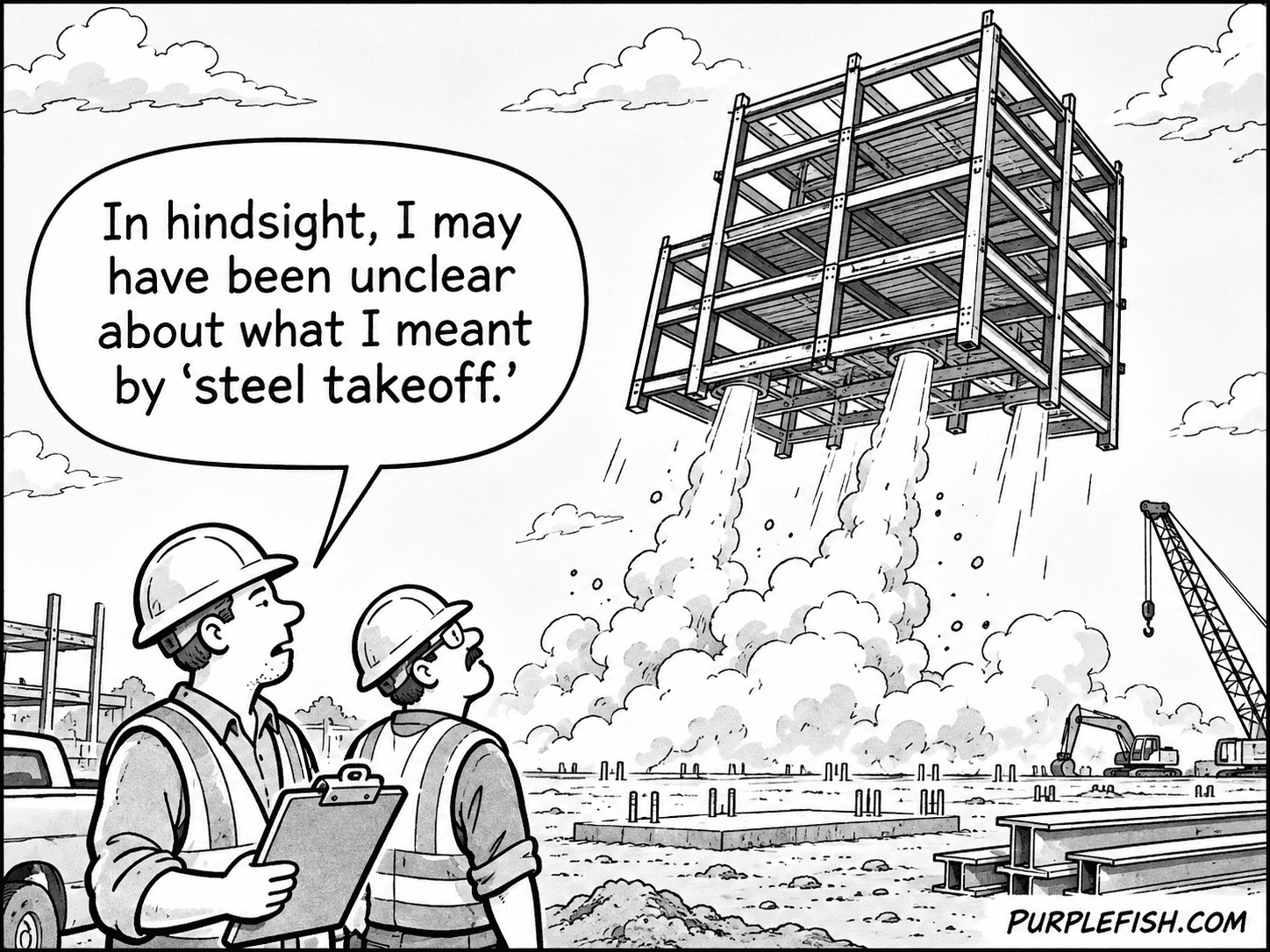
Since we launched piping in April, about thirty of our customers have asked us when we would do steel. The first release is live, and the first customers are running packages through it now.
From 20 minutes per sheet by hand to under 5. That's our initial goal with this product, and why steel works differently from piping. Steel drawings leave more to interpretation than ISOs do, so more of the calls belong to the estimator. With steel, we don't hold your takeoff for a QC pass. It comes back in minutes with every member we found highlighted on the drawing, and anything we missed left blank so you know where to look. Draw in a missed member and name it, drag an end to fix a length, delete a bad pick. We find and flag. You decide.
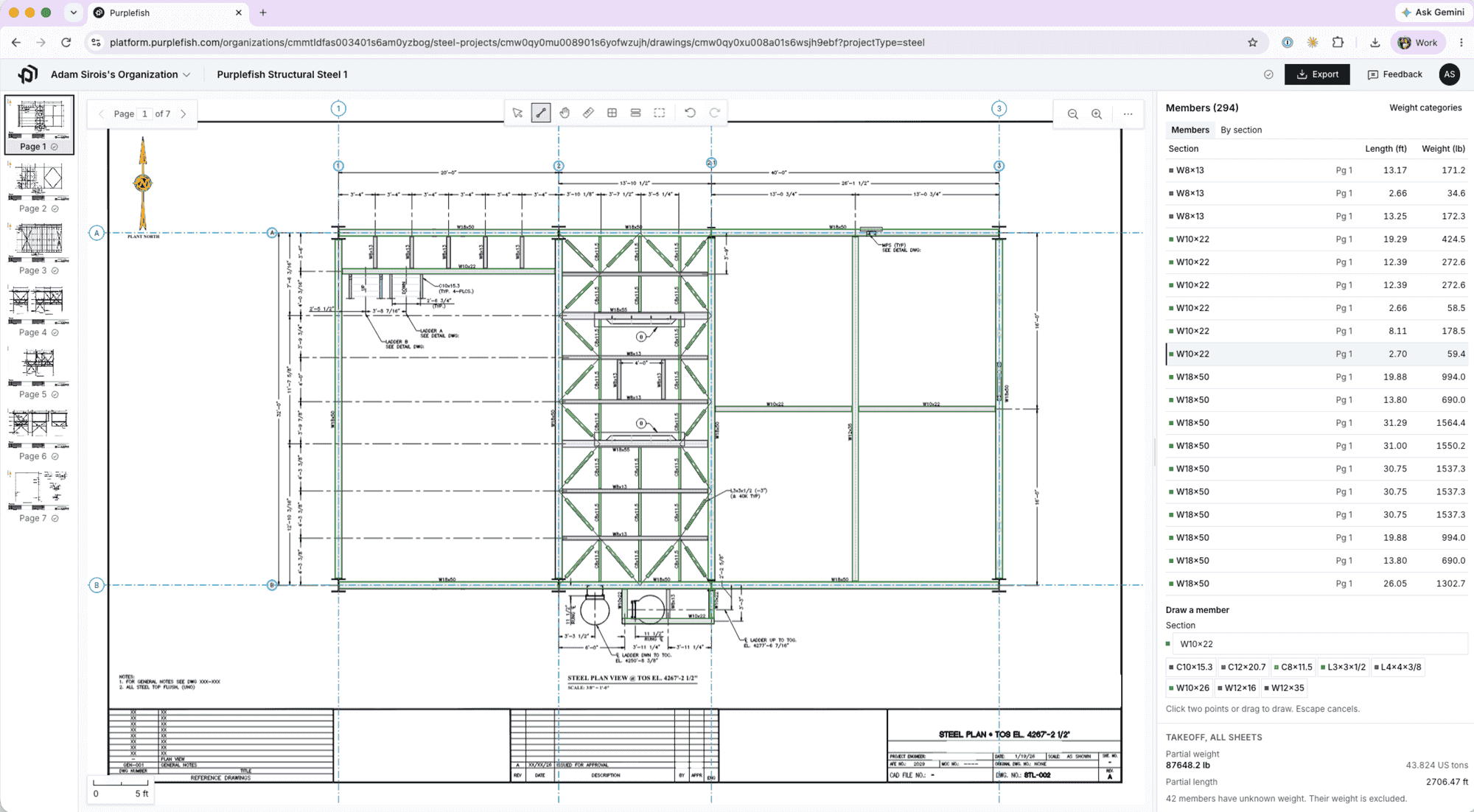
What it does today. Upload a structural PDF (plans, elevations, sections) and Purplefish finds the members, reads the size off the callout, measures each one at the drawing's scale, and gives you a piece list with size, length and weight, a rollup by designation and weight class, total tonnage, and an Excel export.
Counted once, not twice. Double counting across views is the classic steel takeoff error. We read the grid lines and elevations, so a beam that shows up in plan and again in elevation is generally one row, not two. It's not perfect yet, but it does a pretty good job so far and every package that runs through it makes the next one better.
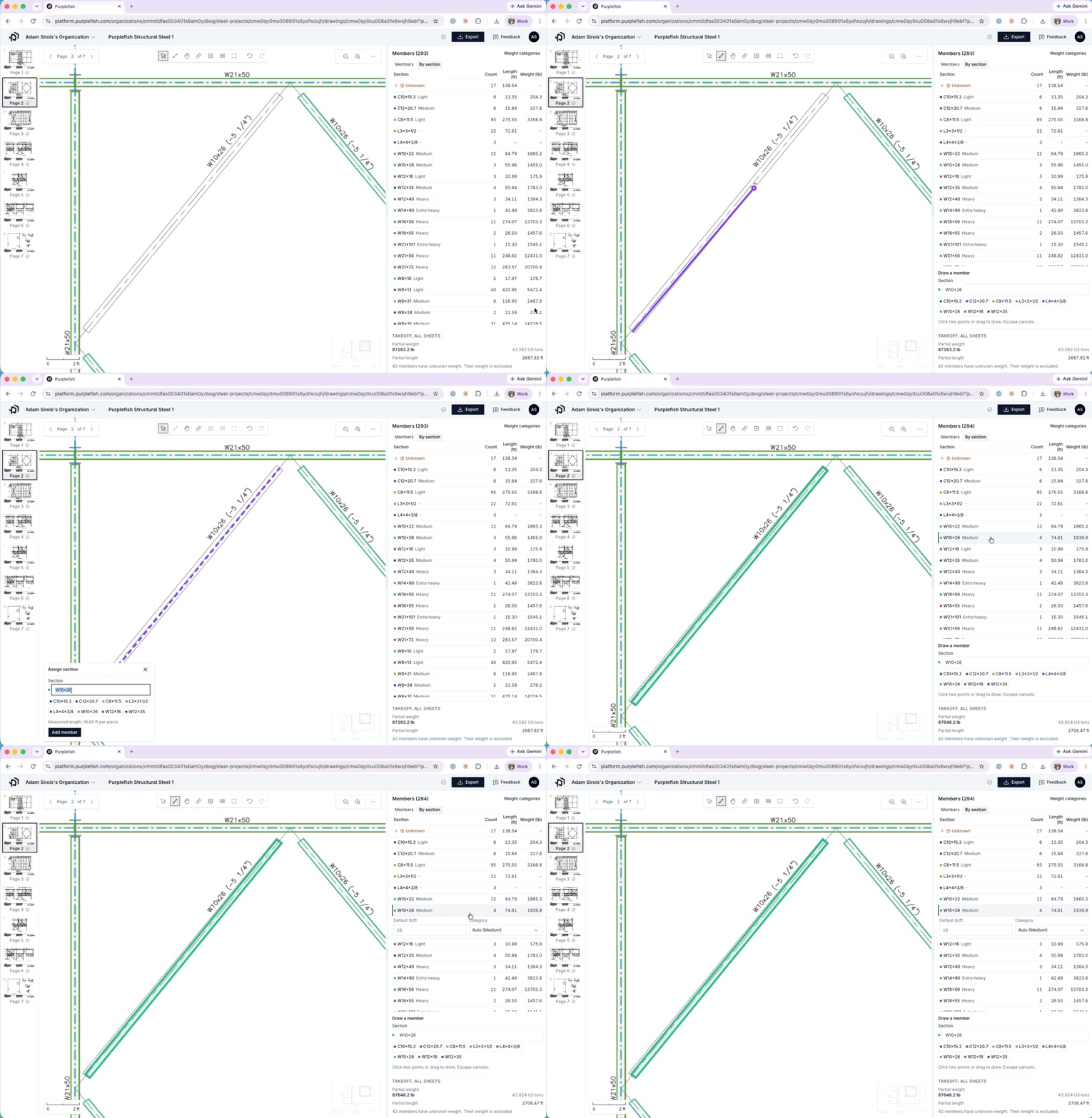
Who it's for. The first version is for contractors who erect or fabricate process-structure steel (pipe racks, platforms, modules, equipment supports) and price it by weight. If you price by the operation (cuts, holes, connections), we'll be working on that next.
What it doesn't do yet (but will, soon!):
- Members only. No connections, welds, holes, bolts, plates or gussets.
- No handrail, grating, ladders or stairs.
- Scanned sets (with no PDF vectors) don't auto-detect yet, but you can still use the tool by adding members manually.
🔧 New in piping
- Continuation callouts are clickable. Click one and the matching sheet opens, even when the drawing number on it is incomplete.
- Smart Merge has gotten smarter. We went back through the hundreds of thousands of lines estimators have already reviewed and tuned what it suggests, so it's better at leaving apart the lines that should stay apart.
- Starting to incorporate pipe specs and supporting documentation. When you upload a package, be sure to include your supporting docs like Pipe Specs, Line Lists, Valve/Instrument Lists, etc.
Full bore ahead,
Adam & Martin
& the Purplefish Team